
Link the desktop app
Needs Edge Server 5.4.2 or later and desktop app 5.4.3 or later.
The Growbud desktop app can use Growbud Cloud or an Edge Server. On an Edge Server, it connects to the Edge Server on your network. It does not use Growbud Cloud. This page tells you how to add an Edge Server to the desktop app. It also tells you how the app trusts the Edge Server certificate. Last, it tells you what to do when the address or the certificate changes.
Before you start
You need:
- An Edge Server that runs. See Get the Edge Server.
- Your Edge Server address. This is the IP address or host name of the Edge Server computer. The port is
8443. - An account on the Edge Server: a username or email address, and a password.
- A computer on the same network as the Edge Server, or on a Tailscale network that reaches it.
The desktop app connects only to an address on your own network:
| Address | Example |
|---|---|
| This computer | localhost, 127.x.x.x, ::1 |
A name that ends in .local | growbud.local |
| A private IPv4 address | 10.x.x.x, 172.16.x.x to 172.31.x.x, 192.168.x.x |
| A link-local IPv4 address | 169.254.x.x |
| A Tailscale address | 100.64.x.x to 100.127.x.x |
A private IPv6 address (fc00::/7) | fd00::… |
| A link-local IPv6 address | fe80::… |
A public IP address or another DNS name does not work. The app shows Edge server not found. Check the URL and try again.
Install the desktop app
The desktop app runs on macOS 13 or later and Linux.
- Edge Server computer from Growbud. A Linux Edge Server computer comes with the desktop app installed. Go to Sign in on the Edge Server computer.
- Another computer. Download the desktop app from growbud.io/download.
Sign in on the Edge Server computer
On a Linux Edge Server computer, the installer gives the desktop app a local sign-in key. The app signs in as the Edge Server administrator with no password. The Edge Server accepts the key only from that computer.
- Open the Growbud desktop app.
- On the sign-in screen, select EDGE.
- Select Use the Edge Server on this computer.
If the list does not have it yet, the app saves the Edge Server as This Edge Server, at localhost, port 8443. A saved entry keeps its name. It reads the certificate on this computer and trusts it. It does not ask you to compare a fingerprint.
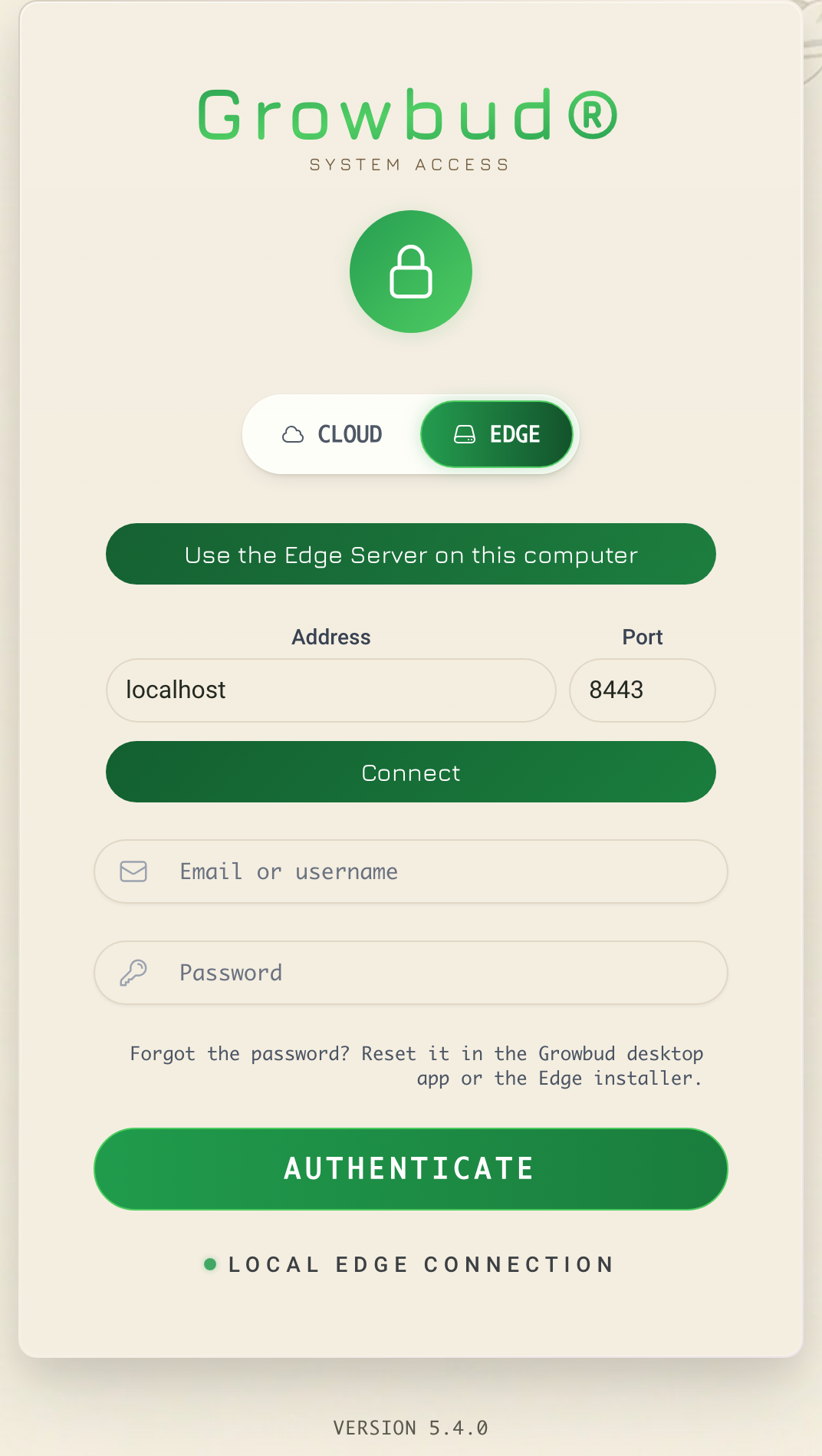
If the installer ran with --no-local-sign-in, the button connects to the Edge Server on this computer but does not sign in. Sign in with your password, as in Sign in.
Add an Edge Server from another computer
- Open the Growbud desktop app.
- On the sign-in screen, select EDGE.
- In Address, enter your Edge Server address. Do not enter
https://. - In Port, keep
8443. - Select Connect.
If you paste a full URL, such as https://<your Edge Server address>:8443, the app fills Address and Port for you.
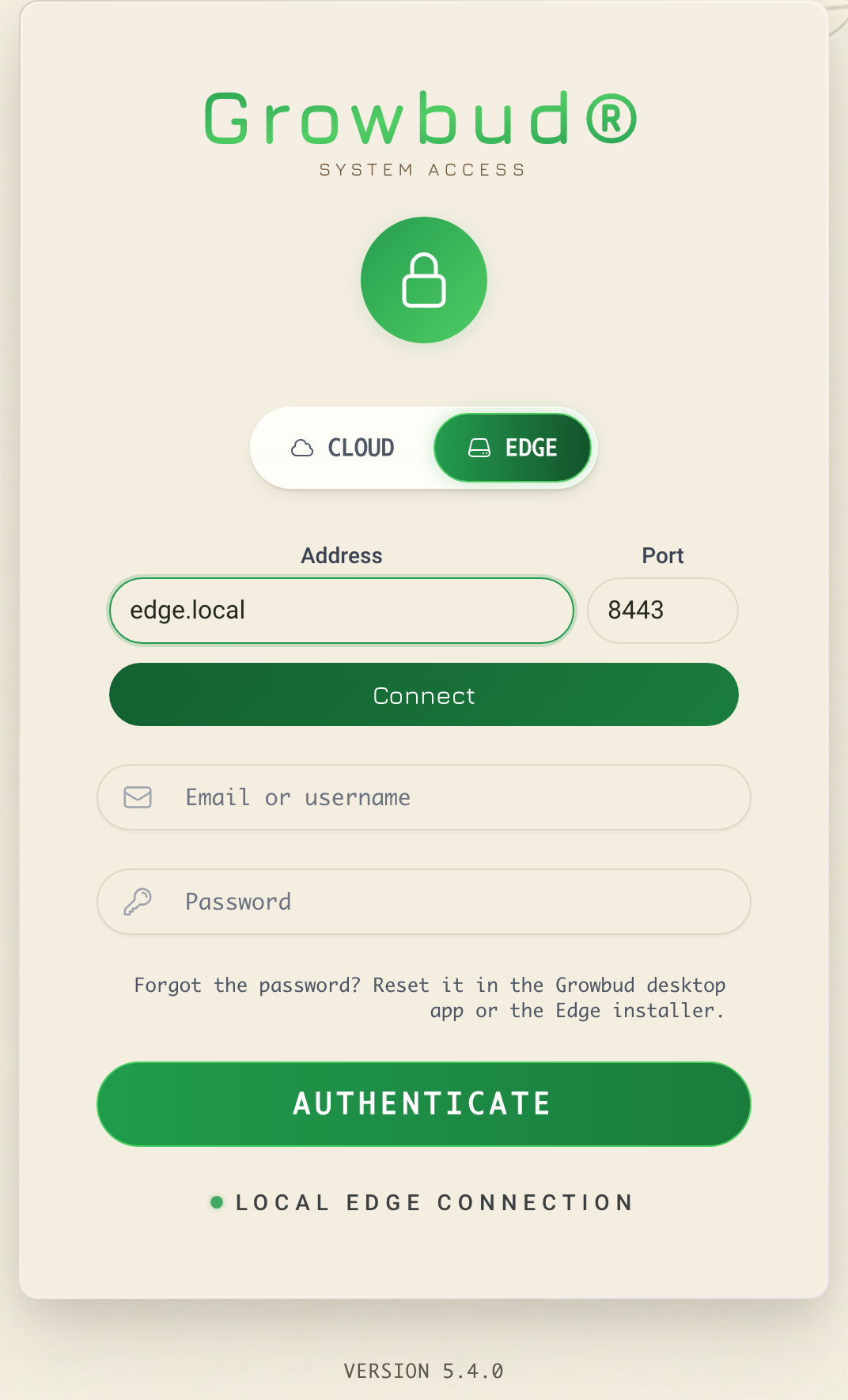
At the first connection, the app asks you to confirm the certificate. See the next section.
Confirm the certificate
The Edge Server has a self-signed certificate. The Edge Server made the certificate itself. No certificate authority signed it. So, at the first connection, the desktop app shows Is this your Edge Server? and the SHA-256 fingerprint of the certificate.
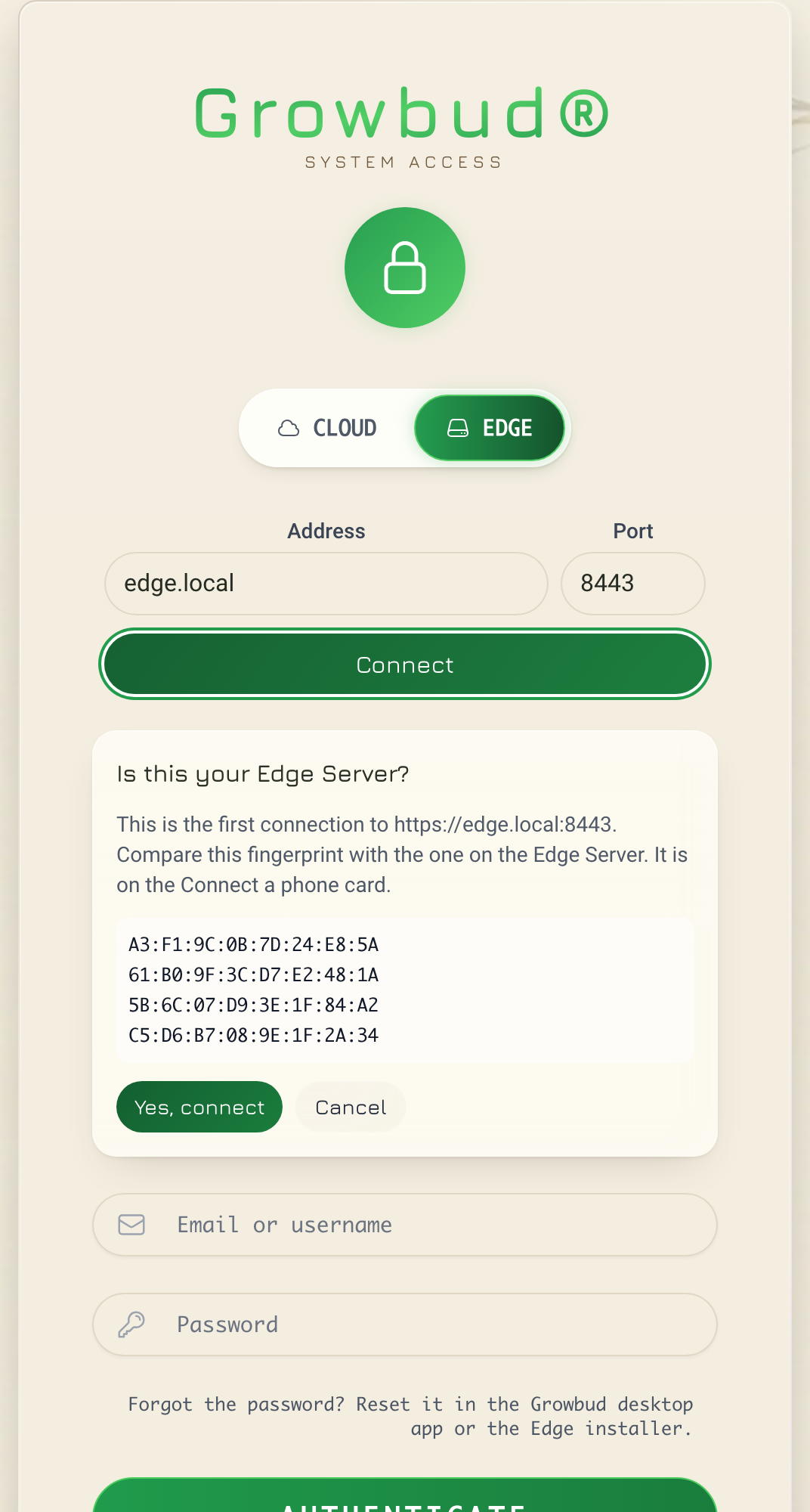
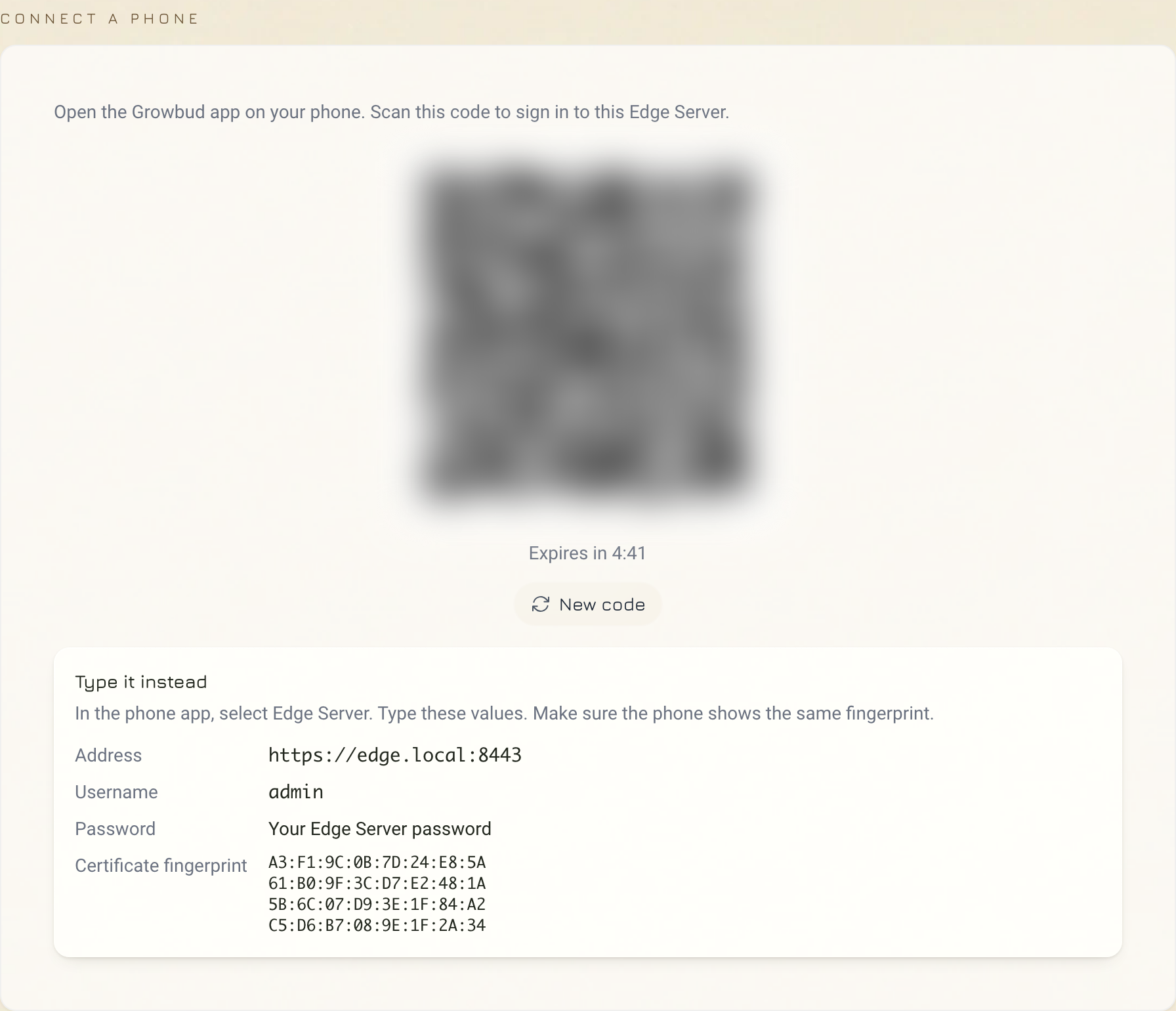
- Find the fingerprint on the Edge Server. On a computer that is already signed in to the Edge Server, open Settings, then Phone sign-in. The Connect a phone card shows it under Type it instead, in Certificate fingerprint.
- Compare the two fingerprints. All 32 pairs must be the same.
- If they are the same, select Yes, connect.
- If they are not the same, select Cancel. Do not connect. Another device can be pretending to be your Edge Server.
The app then pins the certificate to that address. Pinned means:
- At that address, the app accepts only the pinned certificate.
- You do not need to install the certificate on the computer.
- The pin is for one address and one port. A different address is a new Edge Server to the app.
The app checks one more time before it saves the pin. If the Edge Server shows a different certificate from the one you confirmed, the app saves nothing.
Sign in
After the app connects, sign in to the Edge Server.
- In Email or username, enter your Edge Server username or email address. A name with no
@is a local Edge Server account. - Enter your Edge Server password.
- Select AUTHENTICATE.
The first administrator password is in the note Growbud Edge Server.txt on the desktop of the Edge Server computer, or in ADMIN-CREDENTIALS.txt in the install folder. If the password is still a generated one, the app asks you to set a new password before it opens.
On a linked Edge Server, an organization member sets an Edge Server password before the first sign-in. Open the Edge Server sign-in page in a browser, then select First sign-in here? Set your Edge Server password.
A wrong username or password shows Invalid login information. Any other problem shows Cannot sign in to the Edge Server, and the reason.
Manage saved Edge Servers
The desktop app keeps a list of Edge Servers, with a pin for each one. At sign-in, select one in Saved Edge Server, or select Other address.
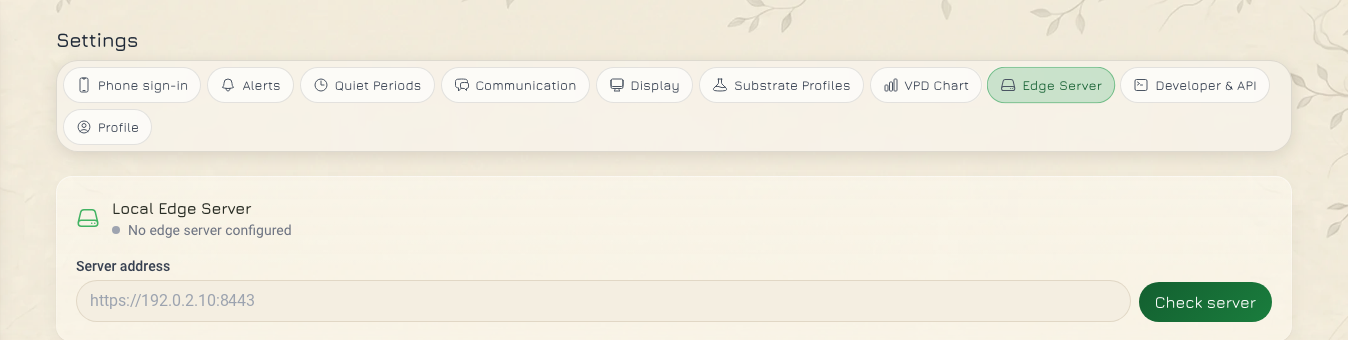
To change the list, open Settings, then Edge Server. Find the Edge Servers card.
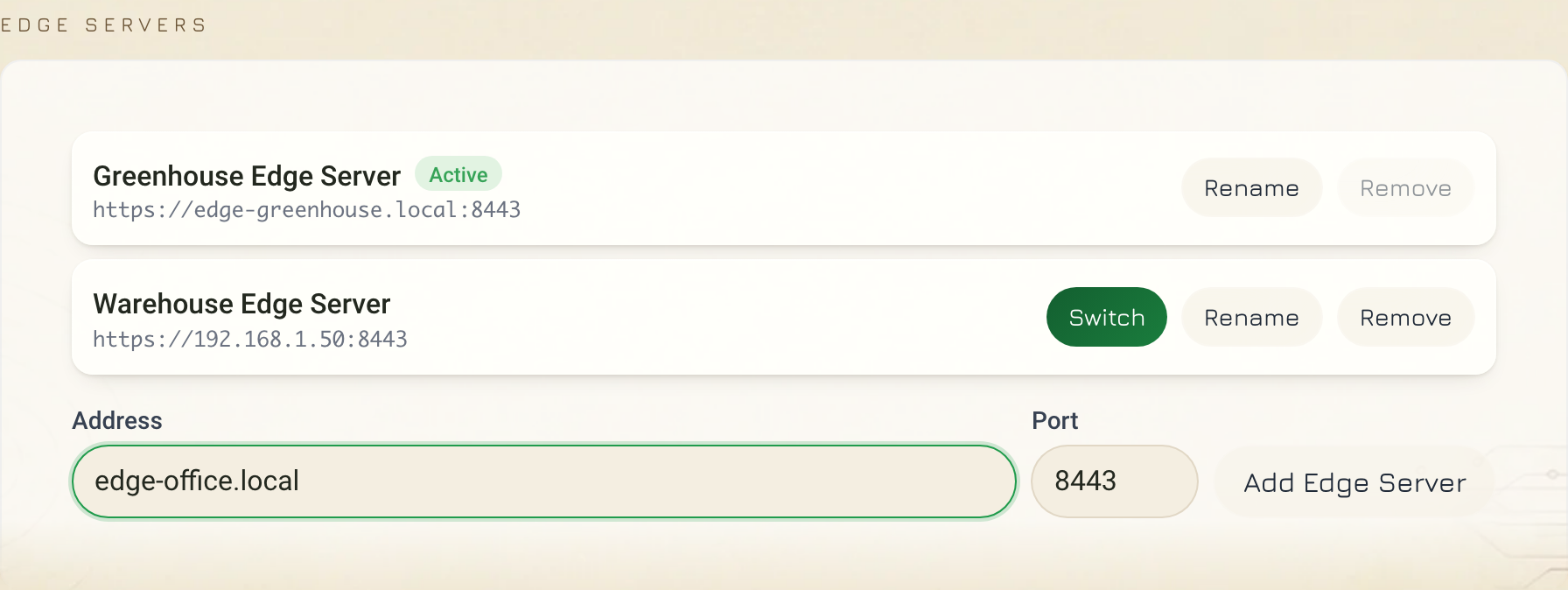
| Action | What it does |
|---|---|
| Add Edge Server | Connects to the address, asks you to confirm the certificate, then saves it. |
| Switch | Connects to that Edge Server and restarts the app on it. The app uses the session it saved for that Edge Server. |
| Rename | Changes the name in the list. It does not change the Edge Server. |
| Remove | Removes the Edge Server, its saved sign-in and its certificate pin from this computer. |
You cannot remove the Edge Server that the app uses now. Switch to another Edge Server first. The list holds up to 32 Edge Servers.
When the address changes
The pin is for one address. If the Edge Server gets a new address, the desktop app treats it as a new Edge Server.
- Add the new address. See Add an Edge Server from another computer.
- Compare the fingerprint again, then select Yes, connect. If the Edge Server kept its certificate, the fingerprint is the same as before.
- Remove the old address from the Edge Servers card.
To stop this, reserve the Edge Server address in your router.
A new address also affects other devices:
- A gateway with an SD card that has only the old address does not find the Edge Server. Write the card again. See Flash the indoor gateway SD card.
- If you made a new certificate for the new address, connect each phone again. See Link your phone to an Edge Server.
When the certificate changes
The self-signed certificate is valid for 825 days. Each installer run makes a new one when fewer than 30 days are left. Run the installer again at least once in that window. A certificate that you put in the certs folder does not renew.
To make a new self-signed certificate after an address change, run these commands in the install folder on the Edge Server computer. Then run the installer again.
docker compose run --rm -e TLS_FORCE=true -e EDGE_HOSTS=<your Edge Server address> tls
docker compose restart kong
After that, the desktop app does not connect to the saved address. It shows The Edge certificate changed, with the Old and New fingerprints. You cannot accept the new certificate from this prompt.
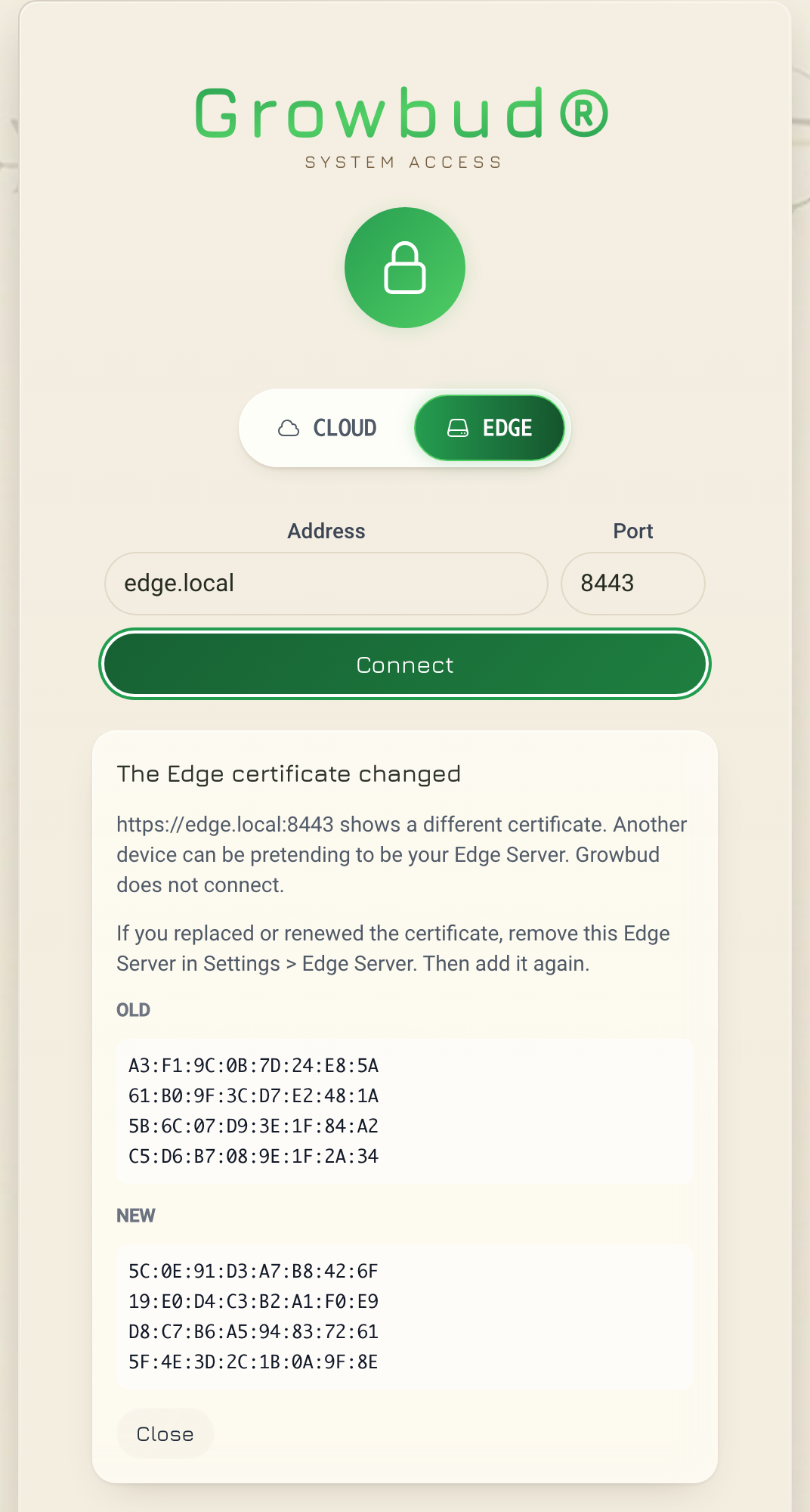
- Make sure that you or your administrator replaced the certificate. If not, stop. Another device can be pretending to be your Edge Server.
- Select Close.
- Sign in to Growbud Cloud, or to another Edge Server.
- Open Settings, then Edge Server.
- In the Edge Servers card, select Remove for that Edge Server. Confirm.
- Add the Edge Server again. Compare the new fingerprint with the one on the Connect a phone card.
What the desktop app does on an Edge Server
On an Edge Server, the desktop app shows the Edge Server's sensors, Controllers, Outlets, zones and sites. Some pages exist only on one side.
| Feature | On an Edge Server | On Growbud Cloud |
|---|---|---|
| Home, Monitor, Control, Site | Yes, with the Edge Server's data | Yes |
| Link a sensor over Bluetooth | No. Use the mobile app. See Link a sensor and update its firmware. | Yes |
| Phone sign-in: QR code and fingerprint for the mobile app | Yes | No |
| Edge Servers card: add, switch, rename, remove | Yes | Yes |
| Move devices between Growbud Cloud and the Edge Server | Yes, desktop app only | No |
| Gateway SD card that sends to the Edge Server | Yes, desktop app only | No. Use Provision SD card. See How a gateway finds the Edge Server. |
| Edge Server sign-in, Administrator password and Edge Server software cards | Only on the Edge Server computer | No |
| Billing, Plans and payment screens | No | In Growbud web only |
| Company single sign-on (SSO) | No. Use your Edge Server password. | Yes |
| The AI demo | No | Yes |
Control from your own software uses the Edge Server API, not the desktop app. See Authentication.
To bring devices from Growbud Cloud, use Move devices. See Get the Edge Server.
If something does not work
| Message | What to do |
|---|---|
| Edge server not found. Check the URL and try again. | Check the address. Use a private address or a .local name. Do not use a public IP address. |
| Cannot reach edge server at …. Is it running? | Make sure that the Edge Server runs and that port 8443 is open on its computer. |
| The Edge certificate changed | See When the certificate changes. |
| The certificate changed again. Connect again. | The certificate changed between the prompt and your confirmation. Select Connect again and compare the new fingerprint. |
| Invalid login information | Check the username and the password. |