
API recipes
Needs Edge Server 5.4.2 or later.
Each recipe is a complete flow with the request and the answer. We cut fields that do not matter to the step. "...": "..." marks a cut.
Before you start
You need:
- An Edge Server, and a user account on it.
- Shell access to the Edge Server computer, to make a token.
curlandjqon the computer that calls the API.
Terms
| Term | Meaning |
|---|---|
| Answer | The HTTP response that the Edge Server sends. |
| DevEUI | The 16-character ID on the Outlet label. |
| Wired link (RS-485) | The cable link between the Controller and the Edge Server or Modbus devices. In the API, transport is rs485. |
| Bus master | The Modbus device that asks the questions. The other devices on the bus answer. In the API, mode is master or slave. |
| Coil | A Modbus point that holds on or off. |
| Register | A Modbus point that holds a number. |
| Long polling | A request that the Edge Server holds open until the result is final or the wait time ends. |
etag | A version tag of the Modbus configuration. You send it back in If-Match. |
| Idempotency key | Your ID for one request. The Edge Server does a request with the same key one time only. |
| Operation | One deploy: the transfer of one configuration version to the Controller. |
Set two shell variables. Use your Edge Server address and the token from recipe 1:
EDGE="https://<your Edge Server address>:8443"
TOKEN="<token from recipe 1>"
On the Edge Server computer itself, the address is localhost. The Edge Server certificate is self-signed. If your client does not trust it, add -k to each curl command.
The examples use the Controller serial F1000000. No Controller has this serial. Use the serial printed on your Controller.
1. Make a token
Make the token
- Open a terminal on the Edge Server computer.
- Go to the install folder (
/opt/growbud-edgeon Linux and macOS). - Run this command. On Linux, put
sudoin front of it.
docker compose exec outlets node /app/edge-outlets.mjs token create \
  --email you@example.com --name "BMS" --days 365 --scope control
The answer:
Token for you@example.com ("BMS"), id <token id>, scopes sensing control, expires 2027-11-08T10:00:00.000Z.
It is shown once. Keep it secret.

<token>
- Copy the token. The command shows it one time only.
| Option | Meaning |
|---|---|
--email | The user the token acts as. The user must exist on this Edge Server. |
--name | A label, 1 to 100 characters. |
--days | 1 to 3650. The default is 365. |
--scope control | Adds the control scope. Without it, the token can only read. |
A user can have 10 active tokens. List and revoke tokens with these commands:
docker compose exec outlets node /app/edge-outlets.mjs token list
docker compose exec outlets node /app/edge-outlets.mjs token revoke <token id>
What each token can do
| Routes | Sensing token | Control token | Control token of an organization admin |
|---|---|---|---|
GET /sensing/v1/... | Yes | Yes | Yes |
| Switch an output, write a Modbus point | 403 | Yes | Yes |
| Change the Modbus configuration or a profile | 403 | 403 | Yes |
- A token works only on the Edge Server that made it.
- The token acts as its user. It sees only the Controllers of the user's organization. Any other serial gives 404, not 403.
- A revoked or expired token gets 401.
- The Edge Server records each control call, refused or not.
Check the token
curl -s -H "Authorization: Bearer $TOKEN" "$EDGE/sensing/v1/controllers" | jq '.controllers[].serial'
A good token gives the serials. A bad token gives 401:
{ "error": { "code": "unauthenticated", "message": "Send a valid Edge Server API token or app session: Authorization: Bearer <token>." } }
After 30 failed calls in one minute from one client, the Edge Server answers 429 rate_limited. Wait one minute.
2. Read Controllers
List the Controllers
curl -s -H "Authorization: Bearer $TOKEN" "$EDGE/sensing/v1/controllers"
Answer 200:
{
  "controllers": [
    {
      "serial": "F1000000",
      "firmwareVersion": "5.4.0",
      "mode": "auto",
      "lastSeen": "2026-11-08T10:00:05.000Z",
      "links": { "wired": false, "wiredSeenAt": null, "lorawan": true },
      "telemetryAt": "2026-11-08T10:00:05.000Z",
      "outputs": [
        {
          "channel": 0,
          "label": "Pump",
          "deviceType": "pump",
          "state": "off",
          "reportedState": "off",
          "levelPct": null,
          "currentMa": 0,
          "fault": "none",
          "reportedAt": "2026-11-08T10:00:05.000Z",
          "pending": null,
          "desired": null
        }
      ],
      "faults": [],
      "schedule": { "version": 7, "ackedVersion": 7, "status": "in_sync" }
    }
  ]
}
The example shows one output. outputs always has four entries, channels 0 to 3.
The app numbers the outputs 1 to 4. The API numbers them 0 to 3.
| Field | Meaning |
|---|---|
state | on, off or unknown. A valve reports open or closed in reportedState, and state shows it as on or off. |
pending | The open command for the output, or null. |
desired | The state that a switch with "retry": true holds, or null. |
links.wired | true when the Edge Server saw the Controller on the wired link (RS-485) in the last 5 minutes. Commands then use the wired link. |
schedule.status | in_sync, pending or never_confirmed. |
Read one Controller
curl -s -H "Authorization: Bearer $TOKEN" "$EDGE/sensing/v1/controllers/F1000000"
Answer 200: { "controller": { ... } }, with the same fields as one list entry. The serial is not case sensitive. An unknown serial, or a serial of another organization, gives 404:
{ "error": { "code": "not_found", "message": "No Controller with this serial." } }
3. Switch an output
Send one command
curl -s -X POST -H "Authorization: Bearer $TOKEN" -H 'Content-Type: application/json' \
  -d '{"on": true}' "$EDGE/control/v1/controllers/F1000000/outputs/0/switch?wait=10"
The Edge Server sends one output_on command. It does not send it again.
Answer 200 when the Controller confirmed in the wait time, or 202 when it did not answer yet:
{
  "command": {
    "id": "7b0c2f8e-3c1d-4e0a-9a51-2f4d6f1d9a10",
    "serial": "F1000000",
    "type": "output_on",
    "channel": 0,
    "requested": "on",
    "transport": "lora",
    "status": "pending",
    "final": false,
    "stage": "sent",
    "requestedAt": "2026-11-08T10:01:00.000Z",
    "sentAt": "2026-11-08T10:01:00.400Z",
    "resolvedAt": null,
    "expiresAt": "2026-11-08T10:06:00.000Z",
    "latencyMs": null,
    "reason": null,
    "error": null
  },
  "poll": "/sensing/v1/controllers/F1000000/commands/7b0c2f8e-3c1d-4e0a-9a51-2f4d6f1d9a10"
}
Read the poll path to get the result (recipe 4).
status | Meaning |
|---|---|
pending | No answer yet. stage is queued or sent. |
confirmed | The Controller did the command. |
refused | The Controller refused the command. reason gives the cause, for example LEAK_INTERLOCK. |
timed_out | No answer by expiresAt (5 minutes). A late answer can still change it to confirmed or refused. |
failed | The Edge Server could not send the command. |
transport is lora or rs485 (the wired link, RS-485).
Hold a state until the Controller confirms
Add "retry": true to make the Edge Server send again until the Controller confirms:
curl -s -X POST -H "Authorization: Bearer $TOKEN" -H 'Content-Type: application/json' \
  -d '{"on": true, "retry": true}' "$EDGE/control/v1/controllers/F1000000/outputs/0/switch?wait=10"
Answer 202 while the Edge Server sends, or 200 when it is done:
{
  "desired": {
    "on": true,
    "status": "converging",
    "setAt": "2026-11-08T10:01:00.000Z",
    "attempts": 1,
    "lastCommandId": "7b0c2f8e-3c1d-4e0a-9a51-2f4d6f1d9a10",
    "convergedAt": null,
    "endedAt": null,
    "error": null
  },
  "command": { "id": "7b0c2f8e-3c1d-4e0a-9a51-2f4d6f1d9a10", "status": "pending", "...": "..." },
  "poll": "/sensing/v1/controllers/F1000000"
}
The Edge Server sends at most 5 commands in 10 minutes. It stops when the Controller confirms or refuses. The Edge Server does not send again after a refusal. A refusal is a safety decision.
desired.status | Meaning |
|---|---|
converging | The Edge Server is sending. |
converged | The Controller confirmed the state. |
failed | The Controller refused, or 10 minutes passed. |
overridden | The output changed later without a command from the Edge Server, for example from a button, a schedule or a rule. |
superseded | A newer switch replaced this one. |
To follow it, read outputs[].desired in GET /sensing/v1/controllers/{serial}.
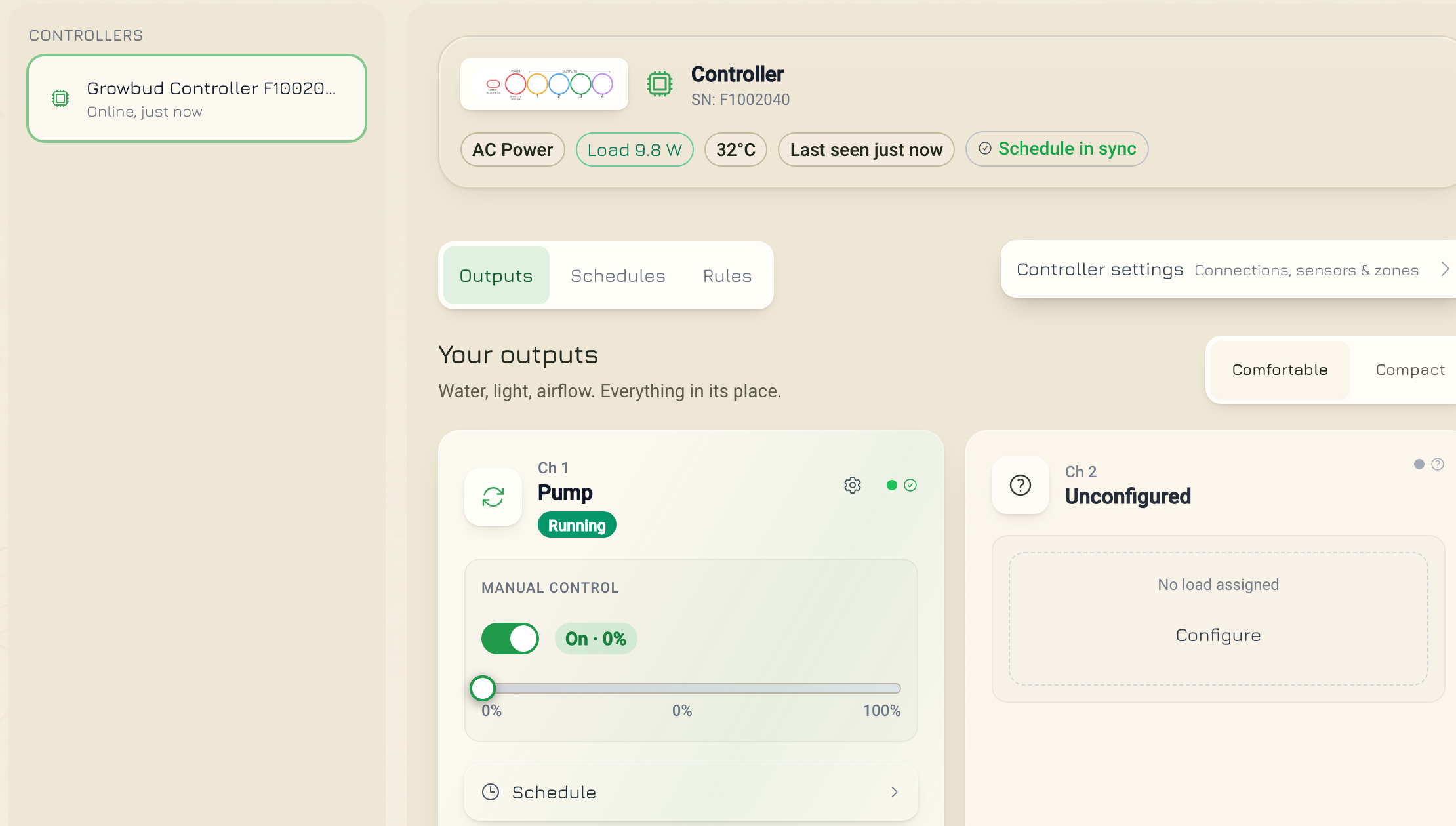
Switch an Outlet
An Outlet uses the same body on its own route. {devEui} is the DevEUI of the Outlet, the 16-character ID on the Outlet label:
curl -s -X POST -H "Authorization: Bearer $TOKEN" -H 'Content-Type: application/json' \
  -d '{"on": false}' "$EDGE/control/v1/outlets/<devEui>/switch?wait=30"
The answer has command, poll and outlet. The poll path is /control/v1/outlets/{devEui}/commands/{commandId}.
4. Wait for a result (long polling)
Add ?wait=N to hold the answer until the result is final or N seconds pass. N is 0 to 30. The default is 0.
curl -s -H "Authorization: Bearer $TOKEN" \
  "$EDGE/sensing/v1/controllers/F1000000/commands/7b0c2f8e-3c1d-4e0a-9a51-2f4d6f1d9a10?wait=30"
Answer 200:
{
  "command": {
    "id": "7b0c2f8e-3c1d-4e0a-9a51-2f4d6f1d9a10",
    "status": "confirmed",
    "final": true,
    "stage": "answered",
    "resolvedAt": "2026-11-08T10:01:03.100Z",
    "latencyMs": 3100,
    "...": "..."
  }
}
Follow these rules:
- Send the control call with a
waitvalue, for examplewait=10. - If the answer is 200, the result is final. Stop.
- If the answer is 202, read the
pollpath withwait=30. - Read the
pollpath again untilfinalistrue.
| Route | wait holds until |
|---|---|
GET .../commands/{commandId} | The command is final. |
GET .../modbus/operations/{operationId} | The operation is final. |
POST .../outputs/{ch}/switch | The command is final (with retry, the desired state ends). |
POST .../modbus/points/{key}/write | The write is final. |
PUT or PATCH .../modbus/config, POST .../modbus/deploy | The operation is final. |
A wait value above 30 gives 400:
{ "error": { "code": "invalid_argument", "message": "wait must be 0 to 30 seconds." } }
A held request takes up to 30 seconds. Set your client timeout to more than 30 seconds.
5. Configure Modbus devices
This recipe connects a Waveshare Modbus RTU Relay board (8 relays) to the Controller's RS-485 port. The Controller is the bus master. Steps 4, 5 and 6 (cancel and deploy), and a profile change, need a control token of an organization admin. The reads in steps 1, 2, 3, 6 and 7 take any token. Step 8 takes any control token. A user that is not an admin gets 403 on an admin step:
{ "error": { "code": "permission_denied", "message": "Only an organization admin may change the Modbus configuration or profiles." } }
Step 1: Read the capabilities
curl -s -H "Authorization: Bearer $TOKEN" "$EDGE/sensing/v1/controllers/F1000000/modbus/capabilities"
Answer 200:
{
  "capabilities": {
    "contract": "flo-modbus-control",
    "device_id": "F1000000",
    "status": "reported",
    "firmware_version": "5.4.0",
    "limits": {
      "max_devices": 77,
      "max_profiles": 8,
      "max_entries_per_profile": 16,
      "max_active_read_slots": 105,
      "...": "..."
    },
    "read_function_codes": [1, 2, 3, 4],
    "write_function_codes": [5, 6, 15, 16],
    "data_types": ["bit", "u16", "i16", "u32", "i32", "float32"],
    "word_orders": ["ABCD", "CDAB", "BADC", "DCBA"],
    "features": { "...": "..." }
  }
}
status is reported, model_default or unknown. With unknown, a deploy that needs the limits gives 422 CAPABILITIES_UNKNOWN.
Step 2: Find the profile
A profile is the register map of one device model. A configuration names a profile by profile_id and revision.
curl -s -H "Authorization: Bearer $TOKEN" "$EDGE/sensing/v1/controllers/F1000000/modbus/profiles" \
  | jq '.profiles[] | {profile_id, revision, scope, name}'
Answer 200 (one profile shown):
{
  "profiles": [
    {
      "profile_id": "9bcb80cf-41df-4dc2-a45e-ae090d7f0bd9",
      "revision": 1,
      "scope": "system",
      "preset_key": "waveshare_modbus_rtu_relay_8ch",
      "name": "Waveshare Modbus RTU Relay (8ch)",
      "manufacturer": "Waveshare",
      "model": "Modbus RTU Relay",
      "entries": [
        {
          "entry_id": "relay_1",
          "name": "Relay 1",
          "read": { "function_code": 1, "...": "..." },
          "write": { "function_code": 5, "...": "..." },
          "...": "..."
        }
      ],
      "created_at": "2026-11-01T09:00:00.000Z",
      "...": "..."
    }
  ]
}
Without a query, the answer has the current revision of each profile. Add ?profile_id=<id>&revision=<n> to read one revision. Keep profile_id, revision and the entry_id values you want to read.
A system profile comes from the Growbud device library and is read-only. To change a register map, add your own profile with PUT /control/v1/controllers/{serial}/modbus/profiles (admin). A saved revision never changes. A newer revision than your base_revision gives 409 with reason MODBUS_PROFILE_REVISION_CONFLICT.
Step 3: Read the configuration
curl -s -H "Authorization: Bearer $TOKEN" "$EDGE/sensing/v1/controllers/F1000000/modbus/config"
Answer 200:
{
  "config": {
    "contract": "flo-modbus-control",
    "device_id": "F1000000",
    "etag": "modbus:0:sha256:...",
    "desired_version": 0,
    "desired_digest": "sha256:...",
    "device_acked_version": 0,
    "device_acked_digest": "sha256:...",
    "sync_status": "in_sync",
    "last_error": null,
    "config": {
      "mode": "slave",
      "bus": { "slave_address": 1, "baud": 9600, "parity": "none", "stop_bits": 1 },
      "devices": []
    },
    "capacity": { "...": "..." },
    "last_operation": null
  }
}
A Controller with no configuration gives this empty default at version 0, not 404.
- Keep
etag. Send it in theIf-Matchheader of the change. - Keep
desired_version. Send it asbase_desired_versionin the body of the change.
sync_status | Meaning |
|---|---|
in_sync | The Controller runs the desired version. |
draft | The Edge Server saved the configuration. No operation sends it. |
queued | An operation exists. It has sent nothing yet. |
deploying | The operation is sending. |
awaiting_device_commit | The transfer is done. The Controller has not confirmed it. |
blocked | A capability or safety rule stops the deploy. |
error | The last deploy ended without the Controller applying it. |
Step 4: Validate the change
Validate saves nothing. Send the full configuration as snapshot:
curl -s -X POST -H "Authorization: Bearer $TOKEN" -H 'Content-Type: application/json' \
  -d @relay-config.json "$EDGE/control/v1/controllers/F1000000/modbus/config/validate"
relay-config.json:
{
  "base_desired_version": 0,
  "snapshot": {
    "mode": "master",
    "bus": { "slave_address": 1, "baud": 9600, "parity": "none", "stop_bits": 1 },
    "devices": [
      {
        "id": "ws8",
        "name": "Waveshare relay",
        "address": 1,
        "profile": { "profile_id": "9bcb80cf-41df-4dc2-a45e-ae090d7f0bd9", "revision": 1 },
        "enabled": true,
        "read_entry_ids": ["relay_1", "relay_2"]
      }
    ]
  }
}
Answer 200:
{
  "validation": {
    "valid": true,
    "deployable": true,
    "capacity": { "...": "..." },
    "warnings": [],
    "errors": [],
    "projected_config": { "...": "..." }
  }
}
A configuration that is not valid gives 422. details.validation.errors lists each error with code, path and message. Planned bus use above 70 percent gives the warning BUS_UTILIZATION_HIGH. An unknown field in snapshot gives 422 with the error UNKNOWN_FIELD. An unknown field in the body gives 400 UNKNOWN_FIELD.
The device id is your own stable name for the device. It is not the Modbus address. Each point key starts with it, for example ws8.relay_1.
Step 5: Replace the configuration
Send the same body with PUT. Put the etag from step 3 in If-Match:
curl -s -X PUT -H "Authorization: Bearer $TOKEN" -H 'Content-Type: application/json' \
  -H 'If-Match: "modbus:0:sha256:..."' \
  -H 'Idempotency-Key: 6f1d9a10-2f4d-4e0a-9a51-3c1d7b0c2f8e' \
  -d @relay-config.json "$EDGE/control/v1/controllers/F1000000/modbus/config?wait=30"
Answer 202 while the Controller has not applied it, or 200 when the operation is final in the wait time:
{
  "result": {
    "accepted": true,
    "device_id": "F1000000",
    "previous_version": 0,
    "desired_version": 1,
    "desired_digest": "sha256:...",
    "etag": "modbus:1:sha256:...",
    "operation_id": "160ece7b-d72b-4014-9503-f944e4a1e435",
    "sync_status": "queued",
    "capacity": { "...": "..." },
    "warnings": []
  },
  "operation": { "operation_id": "160ece7b-d72b-4014-9503-f944e4a1e435", "status": "transferring", "...": "..." },
  "poll": "/sensing/v1/controllers/F1000000/modbus/operations/160ece7b-d72b-4014-9503-f944e4a1e435"
}
operationisnullwhenwaitis 0.- If the content is the same as the saved content, the answer is 200 with
"content_unchanged": trueand nooperation_id. The Edge Server sends nothing. - A large change can take some minutes on LoRaWAN. Follow the operation in step 6.
To change one part only, use PATCH on the same path. The body has base_desired_version and operations (1 to 16 items):
{
  "base_desired_version": 1,
  "operations": [
    { "op": "upsert_device", "device": { "id": "ws8", "name": "Waveshare relay", "address": 1, "profile": { "profile_id": "9bcb80cf-41df-4dc2-a45e-ae090d7f0bd9", "revision": 1 }, "enabled": true, "read_entry_ids": ["relay_1"] } }
  ]
}
op | Other field |
|---|---|
set_mode | mode: master or slave |
set_bus | bus: slave_address, baud, parity, stop_bits |
upsert_device | device: one complete device |
delete_device | device_id |
Step 6: Follow the operation
curl -s -H "Authorization: Bearer $TOKEN" \
  "$EDGE/sensing/v1/controllers/F1000000/modbus/operations/160ece7b-d72b-4014-9503-f944e4a1e435?wait=30"
Answer 200:
{
  "operation": {
    "operation_id": "160ece7b-d72b-4014-9503-f944e4a1e435",
    "device_id": "F1000000",
    "target_version": 1,
    "status": "applied",
    "progress": { "pages_total": 2, "pages_sent": 2, "pages_acked": 2, "...": "..." },
    "cancellation": { "cancellable": false, "mode": "none", "blocker": "terminal" },
    "applied_at": "2026-11-08T10:17:40.000Z",
    "error": null,
    "...": "..."
  }
}
Read the operation again until status is final.
| Kind | status values |
|---|---|
| Active | queued, dispatching, transferring, awaiting_device_commit, cancel_requested |
| Final | applied, rejected, failed, expired, superseded, cancelled |
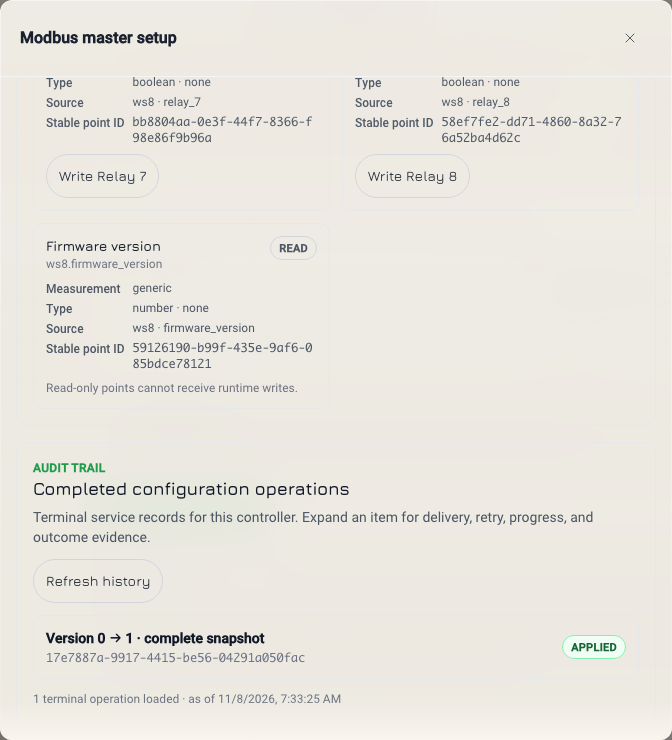
applied means the Controller confirmed the new version. Then sync_status in the configuration is in_sync.
To list operations, use GET .../modbus/operations?view=active. view is active, history or all. limit is up to 100 (default 50). Use cursor with the next_cursor of the last answer.
To stop an operation that the Controller has not taken yet:
curl -s -X POST -H "Authorization: Bearer $TOKEN" -H 'Content-Type: application/json' \
  -d '{"target_version": 1}' \
  "$EDGE/control/v1/controllers/F1000000/modbus/operations/160ece7b-d72b-4014-9503-f944e4a1e435/cancel"
target_version must be the target_version of the operation. Answer 200: { "result": { "operation_id": "...", "status": "cancelled", "sync_status": "draft", "...": "..." } }. The saved configuration stays. To send it again, use POST .../modbus/deploy with If-Match and the body { "target_version": 1 }.
Step 7: List the points
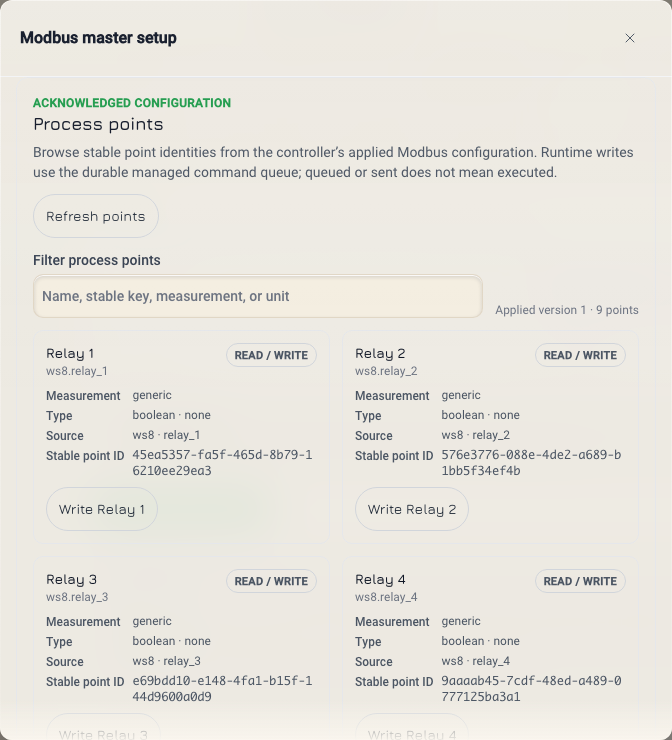
curl -s -H "Authorization: Bearer $TOKEN" "$EDGE/sensing/v1/controllers/F1000000/modbus/points"
Answer 200:
{
  "configVersion": 1,
  "points": [
    {
      "key": "ws8.relay_1",
      "id": "3f9a1c52-6b7e-4d1a-9c0f-2a8e5b7d4c11",
      "device": "ws8",
      "entry": "relay_1",
      "name": "Relay 1",
      "measurement": "generic",
      "unit": "none",
      "valueType": "boolean",
      "access": "read_write",
      "writable": true
    }
  ]
}
- The list follows the configuration that the Controller confirmed.
configVersionisnullandpointsis empty until the Controller confirms a configuration.- A read-only point is in the list only when the configuration reads it. A writable point is always in the list.
Step 8: Write a point
Any user with a control token can write a point. It does not need an admin.
curl -s -X POST -H "Authorization: Bearer $TOKEN" -H 'Content-Type: application/json' \
  -H 'Idempotency-Key: relay-1-on-20261108-1020' \
  -d '{"value": true}' "$EDGE/control/v1/controllers/F1000000/modbus/points/ws8.relay_1/write?wait=30"
| Field | Meaning |
|---|---|
value | true or false for a coil (on or off). A number for a register. The label for a register with named values. |
verify | Optional. Read the register back after the write. The default is true. |
In the path, use the point key or its id.
Step 9: Read the value back
The point list has no current value. The confirmed value is in the write result. Answer 200 when the write is final in the wait time, or 202 before:
{
  "command": {
    "id": "9d2e7a40-1b2c-4d3e-8f90-a1b2c3d4e5f6",
    "type": "modbus_write",
    "status": "confirmed",
    "final": true,
    "transport": "lora",
    "modbus": {
      "point": "ws8.relay_1",
      "value": true,
      "configVersion": 1,
      "verify": true,
      "deviceStatus": "ok",
      "exceptionCode": null,
      "attempts": 1,
      "verified": true,
      "readbackRaw": 1
    },
    "...": "..."
  },
  "poll": "/sensing/v1/controllers/F1000000/commands/9d2e7a40-1b2c-4d3e-8f90-a1b2c3d4e5f6"
}
| Field | Meaning |
|---|---|
deviceStatus | The answer of the Modbus device, for example ok, exception or timeout. null until the Controller reports. |
exceptionCode | The Modbus exception code, or null. |
verified | true when the read-back value is the written value. null when verify is false. |
readbackRaw | The raw value that the Controller read back. |
A 202 answer has a poll path. Read it with wait=30 (recipe 4).
The write goes over LoRaWAN only. The write is fixed to the configuration version that the Controller confirmed, so it cannot land on a register of a newer map.
6. ETag and Idempotency-Key rules
If-Match (Modbus configuration only)
| Route | If-Match |
|---|---|
PUT .../modbus/config | Required |
PATCH .../modbus/config | Required |
POST .../modbus/deploy | Required |
POST .../modbus/config/validate | Not used |
POST .../modbus/operations/{operationId}/cancel | Not used |
PUT .../modbus/profiles | Not used. Send base_revision in the body. |
- Read
etagfrom the body ofGET .../modbus/config. The API does not send anETagheader. - Send it in quotes:
If-Match: "modbus:0:sha256:...". The tag has the formmodbus:<desired_version>:sha256:<digest>. Send it exactly as you read it. - Send one value only. A weak tag (
W/) or a list gives 400 withreasonINVALID_IF_MATCH. - After each change, use the new
etagfromresult.etag.
Idempotency-Key
The header is optional on every route that takes it. It has 8 to 128 characters. A shorter or longer key gives 400.
| You send | The Edge Server does |
|---|---|
| No key | Makes a new key for the one call. A retry is a new request. |
| A new key | Does the request and keeps the answer. |
| The same key and the same body | Gives the first answer again. It does not do the request again. |
| The same key and a different body | Gives 409 with reason IDEMPOTENCY_KEY_REUSED. |
Send your own key when a retry must not act twice. Make a new key for each new request. A point write is the most important case: without a key, a retry after a network error writes the point again.
The output switch takes no Idempotency-Key. Each call sends a new command.
7. Handle errors
Each error has this shape:
{
  "error": {
    "code": "failed_precondition",
    "message": "The desired configuration changed; read it again before retrying",
    "reason": "CONFIG_REVISION_CONFLICT",
    "details": { "current_etag": "modbus:1:sha256:...", "current_desired_version": 1 }
  }
}
code is the API code. reason and details are present when the Controller software gives them. For 409, act on reason. One reason can come with more than one code.
409 Conflict
code | reason | Do this |
|---|---|---|
managed_elsewhere | This Edge Server is on standby. Growbud Cloud manages the Controller. Do not send again. | |
failed_precondition | CAPABILITY_MISMATCH | The channel has no load. Configure the channel in the app. |
failed_precondition | MODE_LOCKED | The Controller cannot take the command on its current link. Check links.wired and links.lorawan. |
failed_precondition or conflict | MODBUS_CONFIG_NOT_ACKNOWLEDGED | The Controller has not confirmed a Modbus configuration. Wait. Then read the point list again. |
conflict | IDEMPOTENCY_KEY_REUSED | You used the key for a different request. Make a new key. |
conflict | CONFIG_OPERATION_ACTIVE | Another deploy is active. Follow it (step 6), then deploy. |
conflict | CONFIG_OPERATION_TARGET_MISMATCH | The cancel target_version is not the operation's. Read the operation again. |
conflict | CONFIG_OPERATION_NOT_CANCELLABLE | The operation cannot stop now. Follow it to the end. |
conflict | MODBUS_PROFILE_REVISION_CONFLICT | A newer profile revision exists. Read the profile again. |
412 and 428 Precondition
| HTTP | reason | Do this |
|---|---|---|
| 428 | PRECONDITION_REQUIRED | Add the If-Match header. |
| 412 | CONFIG_REVISION_CONFLICT | The configuration changed since you read it. Do the three steps below. |
Both have code failed_precondition. Do not send the same request again without a new read. It fails the same way.
After CONFIG_REVISION_CONFLICT:
- Read the configuration again (step 3).
- Apply your change to the new configuration.
- Send the change with the new
etaganddesired_version.
422 Not valid
All have code invalid_argument.
reason | Do this |
|---|---|
A validation code, with details.validation | Fix each item in details.validation.errors. Validate again (step 4). |
CAPABILITIES_UNKNOWN | The Controller has not reported its capabilities. Wait for it to report. |
CONFIG_ABORT_UNSUPPORTED | The operation is in flight and cannot stop. Follow it to the end. |
MODBUS_ENTRY_NOT_WRITABLE | The point is read-only. |
MODBUS_WRITE_VALUE_OUT_OF_RANGE, MODBUS_WRITE_VALUE_TYPE_MISMATCH, MODBUS_ENUM_VALUE_INVALID | The value does not fit the point. Check valueType. |
MODBUS_MASTER_MODE_REQUIRED | The Controller is not the bus master. Set mode to master (step 5). |
MODBUS_WRITE_CAPABILITY_UNSUPPORTED | The Controller firmware cannot do this write. |
Other errors
| HTTP | code | Do this |
|---|---|---|
| 400 | invalid_argument | Fix the body or query. The message says which field. A body that is not JSON gives Send JSON. |
| 401 | unauthenticated | Make a new token (recipe 1). |
| 403 | permission_denied | Use a token with the control scope. For Modbus configuration, use an admin's token. |
| 404 | not_found | Check the serial, channel, point key or id. Check that the Edge Server release serves the route. See Compatibility. |
| 405 | invalid_argument | Use the method in the message. |
| 413 | invalid_argument | reason TOO_MANY_OPERATIONS: the change has more operations than details.limit. Send it in parts. |
| 429 | rate_limited | Wait one minute. |
| 502, 503 | unavailable | Try again after a short time. |
Next
- Controllers lists every Controller route.
- Configure Modbus devices does the same Modbus setup in the Growbud app.
- Errors and limits lists the error codes, the
waitlimit and the rate limit.