
Compatibility
Current to Edge Server 5.4.3 and app 5.4.3.
The site at https://growbud.io/edge installs Edge Server 5.4.3. The page
at https://growbud.io/download has desktop app 5.4.3 for macOS and Linux.
Releases at a glance
| Part | Release | Status |
|---|---|---|
| Edge Server | 5.4.3 | On the download site. |
| Desktop app | 5.4.3 | On the download page, for macOS 13 or later and Linux. Edge Server computers from Growbud come with the Linux desktop app. |
| Mobile app | 5.4.3 | Mobile app 5.4.2 or later links a sensor to an Edge Server. |
| Controller firmware | 5.4.2 or later | Needed to link a Controller to an Edge Server with no Growbud Cloud. |
| Sensor firmware (Dro and Vero) | 5.4.3 | Update a sensor from Growbud Cloud. |
| Gateway image (indoor LoRaWAN gateway) | 5.3.11 | The desktop app writes this image. The gateway finds the Edge Server by the address on the card. |
The web, desktop and mobile apps use one version number. Controller and sensor firmware use the same number.
API routes by Edge Server release
Each route needs an Edge API token. Routes under /control/v1/ need a
token with the control scope. A route that a release does not serve
answers 404 not_found.
Outlets and Controller outputs
| Route | 5.3.10 | 5.4.0 | 5.4.2 and later |
|---|---|---|---|
GET /sensing/v1/outlets | Yes | Yes | Yes |
GET /sensing/v1/outlets/{devEui} | Yes | Yes | Yes |
GET /sensing/v1/outlets/{devEui}/power | Yes | Yes | Yes |
POST /control/v1/outlets/{devEui}/switch | Yes | Yes | Yes |
GET /control/v1/outlets/{devEui}/commands/{commandId} | Yes | Yes | Yes |
GET /sensing/v1/controllers | Yes | Yes | Yes |
GET /sensing/v1/controllers/{serial} | Yes | Yes | Yes |
GET /sensing/v1/controllers/{serial}/commands/{commandId} | Yes | Yes | Yes |
POST /control/v1/controllers/{serial}/outputs/{ch}/switch | Yes | Yes | Yes |
Modbus points
| Route | 5.3.10 | 5.4.0 | 5.4.2 and later |
|---|---|---|---|
GET /sensing/v1/controllers/{serial}/modbus/points | No | Yes | Yes |
POST /control/v1/controllers/{serial}/modbus/points/{key}/write | No | No | Yes |
Modbus configuration
Edge Server 5.4.2 and later serve these routes. Each /control/v1/ route in this table also
needs an organization admin.
| Route | 5.3.10 | 5.4.0 | 5.4.2 and later |
|---|---|---|---|
GET /sensing/v1/controllers/{serial}/modbus/config | No | No | Yes |
GET /sensing/v1/controllers/{serial}/modbus/capabilities | No | No | Yes |
GET /sensing/v1/controllers/{serial}/modbus/profiles | No | No | Yes |
GET /sensing/v1/controllers/{serial}/modbus/operations | No | No | Yes |
GET /sensing/v1/controllers/{serial}/modbus/operations/{operationId} | No | No | Yes |
POST /control/v1/controllers/{serial}/modbus/config/validate | No | No | Yes |
PUT /control/v1/controllers/{serial}/modbus/config | No | No | Yes |
PATCH /control/v1/controllers/{serial}/modbus/config | No | No | Yes |
POST /control/v1/controllers/{serial}/modbus/deploy | No | No | Yes |
POST /control/v1/controllers/{serial}/modbus/operations/{operationId}/cancel | No | No | Yes |
PUT /control/v1/controllers/{serial}/modbus/profiles | No | No | Yes |
Configure Modbus devices shows these routes in order.
Edge Server features by release
| Feature | 5.3.10 | 5.4.0 | 5.4.2 and later |
|---|---|---|---|
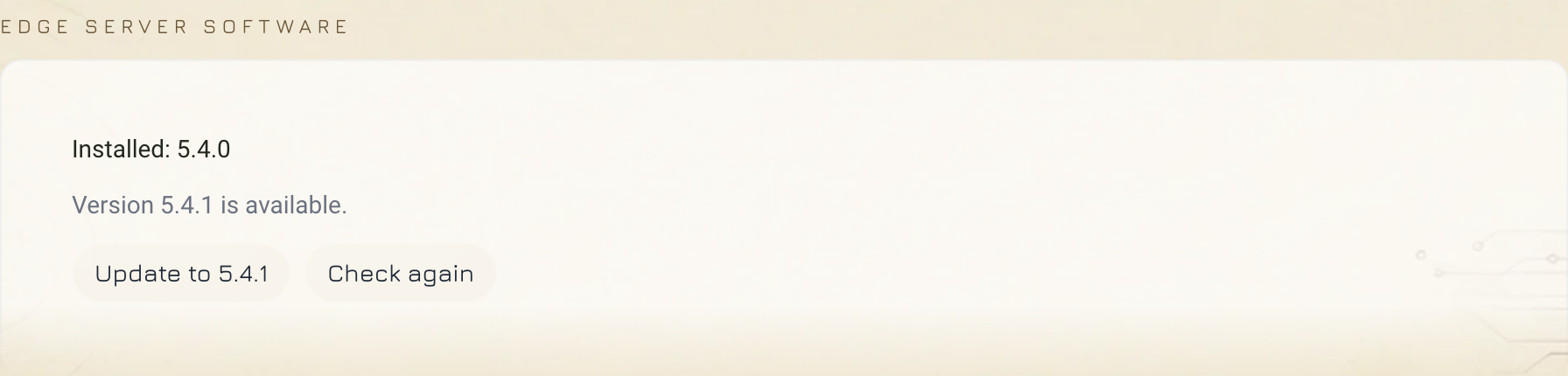
growbud-edge-update command and the Edge Server software card in the desktop app | No | Yes | Yes |
growbud-edge-reset-admin command | No | Yes | Yes |
| Link a sensor to the Edge Server from the mobile app | No | No | Yes, with mobile app 5.4.2 or later |
| Link a sensor to the Edge Server from the desktop app | No | No | No. Use the mobile app. |
| Sensor firmware updates from the Edge Server | No | No | No. Use Growbud Cloud. |
| Gateway SD card in the desktop app, signed in to the Edge Server | No | No | Yes, with desktop app 5.4.3 or later |
| Link a Controller to the Edge Server with no Growbud Cloud | No | No | Yes, with app 5.4.2 or later and Controller firmware 5.4.2 or later |
Edge Server 5.3.10 has no growbud-edge-update command. To upgrade from
5.3.10, run the quick install command again. From 5.4.0 on,
use the Edge Server software card or sudo growbud-edge-update. See
Upgrade the Edge Server.
Sensor firmware
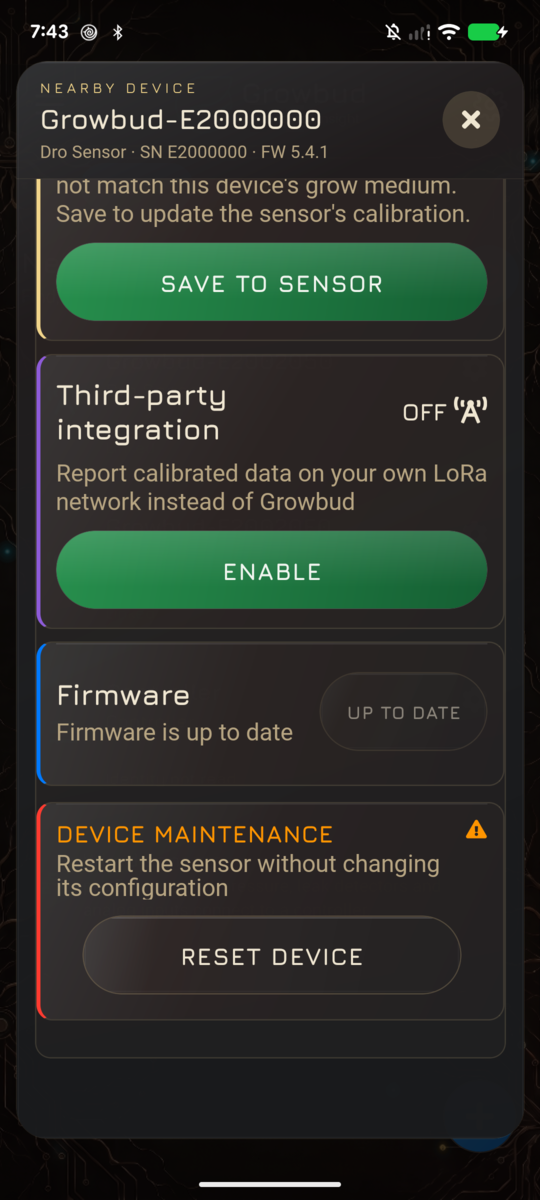
To link a sensor to an Edge Server, use the mobile app. You need Edge Server 5.4.2 or later and mobile app 5.4.2 or later. See Link a sensor and update its firmware. The desktop app links a sensor only to Growbud Cloud.
A sensor reports its LoRaWAN identity over Bluetooth from firmware 5.0.0. The Edge Server needs that identity to register the sensor on its network.
| Sensor firmware | On an Edge Server |
|---|---|
| Older than 5.0.0 | The app links the sensor over Bluetooth only. Update the firmware, then link the sensor again. |
| 5.0.0 or later | The Edge Server registers the sensor on its own LoRaWAN network. |
A mobile app on an Edge Server updates a sensor only when the Edge Server holds a sensor release. The Edge Server installer loads no sensor release, so update a sensor from Growbud Cloud.
Controller firmware
To link a Controller to an Edge Server with no Growbud Cloud, the Controller needs firmware 5.4.2 or later. See Link a Controller.
Read the version of each Controller in the firmwareVersion field of
GET /sensing/v1/controllers. A Modbus point write needs a confirmed
Modbus configuration on the Controller and the Controller in master mode.
These are conditions on the Controller, not on a firmware version. See
Controllers.
The mobile app on an Edge Server does not update Controller firmware. Controller firmware images stay in Growbud Cloud.
Gateway image
The desktop app writes the indoor LoRaWAN gateway image to an SD card. Each desktop app build names one gateway image version and its checksum. Gateway image 5.3.11 is the published image.
| Gateway image | Finds the Edge Server by |
|---|---|
| 5.3.11 | The address on the card |
With gateway image 5.3.11, reserve the Edge Server address in your router. If the address changes, write the card again. See Flash the indoor gateway SD card.
Desktop and mobile apps
The desktop app runs on macOS 13 or later and Linux. Download it from growbud.io/download.
| App | On an Edge Server |
|---|---|
| Desktop app 5.4.3 | Signs in to the Edge Server. Shows the Edge Server software card. Shows Connect a phone with a QR code. Writes a gateway SD card. Does not link a sensor to the Edge Server. |
| Mobile app 5.4.3 | Signs in to an Edge Server with no Growbud Cloud account. Scans the QR code from Connect a phone. Links a sensor or a Controller to the Edge Server. |
| Desktop app 5.4.3 | On Growbud Cloud |
|---|---|
| Link a sensor over Bluetooth | Yes |
| Spot Check | Yes |
| Change the sensor's LoRaWAN network | Yes |
| Sync the sensor's readings over Bluetooth | Yes |
The QR code works once. It expires after 5 minutes. The mobile app with an Edge Server only cannot show Genie reports, site surveys or push alerts, and cannot update Controller firmware. See Link your phone to an Edge Server.
Find the version you run
- If you used the quick install command, read
/opt/growbud-edge/VERSIONon the Edge Server computer. - In Growbud web, open Settings, then Edge Server. A linked Edge Server shows its Edge Server version.
- For each Controller, read
firmwareVersionfromGET /sensing/v1/controllers. - In the mobile app or the desktop app, open the sensor's settings. Read the firmware version.